Juwen synth plugin
My old Roland Juno-6, rebuilt as a plugin from circuit measurements, with 12 voices and the modern playability the original bad boy never had.
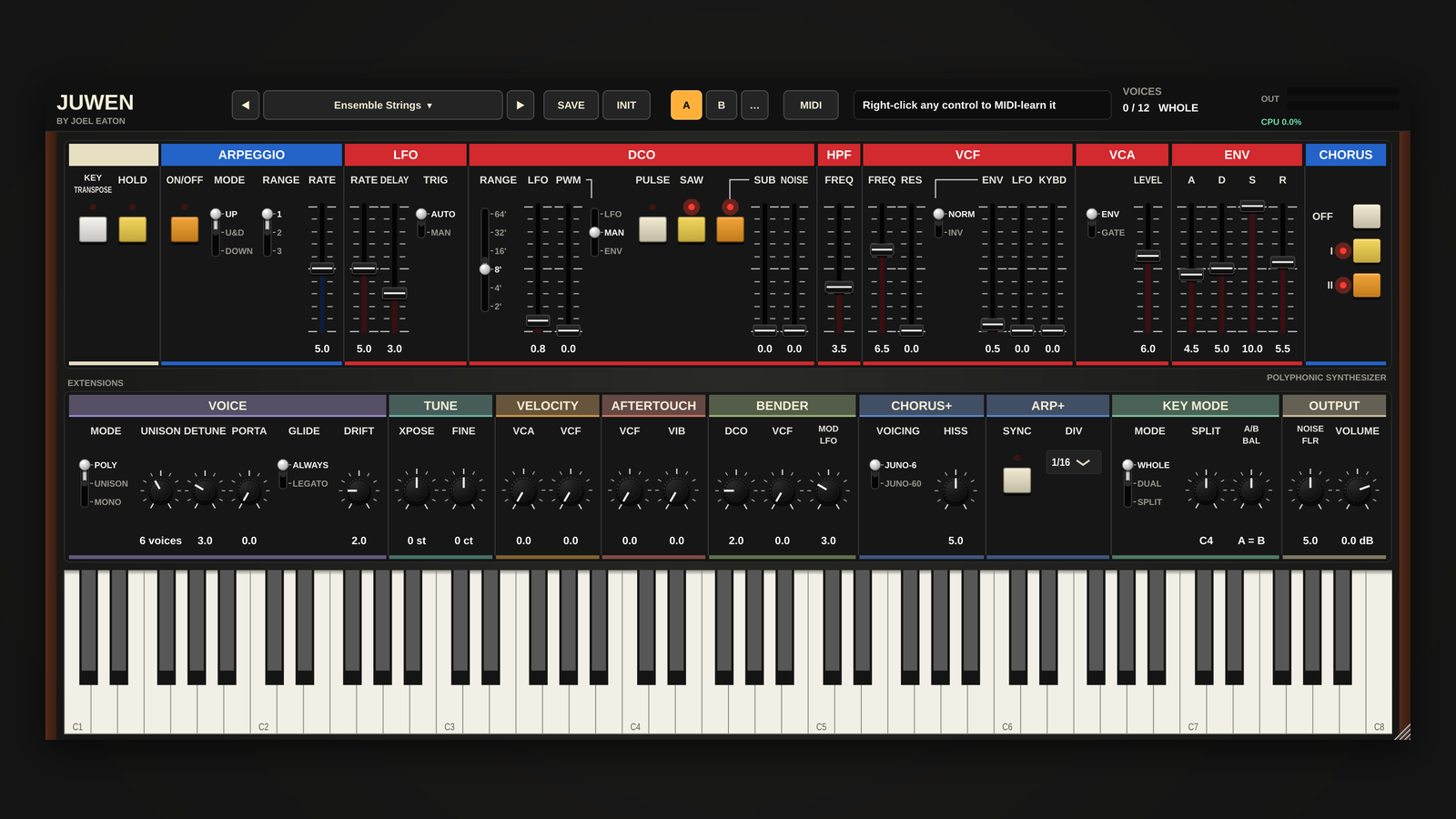
Juwen
Way back when, the first thing I bought with my student overdraft was a second hand Roland Juno-6 for £250. Like a lot of people who sold one in a weak moment, I’ve regretted it ever since.
For a new music thing I’m working on, I wanted some of that sound back. The warm, slightly woolly saw pads, the bass that sits where you want it, and that chorus. I even came very close to buying Behringer’s hardware copy. So I tried a few demo versions of the software versions out there. They were OK-ish, perfectly usable synths, but none of them had the vibe. They sounded like a picture of a Juno rather than the thing itself.
Then I found Andy Harman’s Juno-60 analysis. He sat down with a real Juno-60 and measured it. The envelope curves, timings, LFO delay, filter behaviour and, crucially, the chorus. Proper data rather than ears and guesswork. Seeing it all laid out, it seemed like a fun project to turn it into a synth.
So, voilà. Juwen is a free polysynth (Standalone, VST3, AU) modelled on the Juno-6 from those measurements and the original service notes. After a few tweaks, it really does come close tp having my old synth back in the room. Just with more space.
Juwen comes from Proto-Italic meaning “young” - the same meaning as Juno.
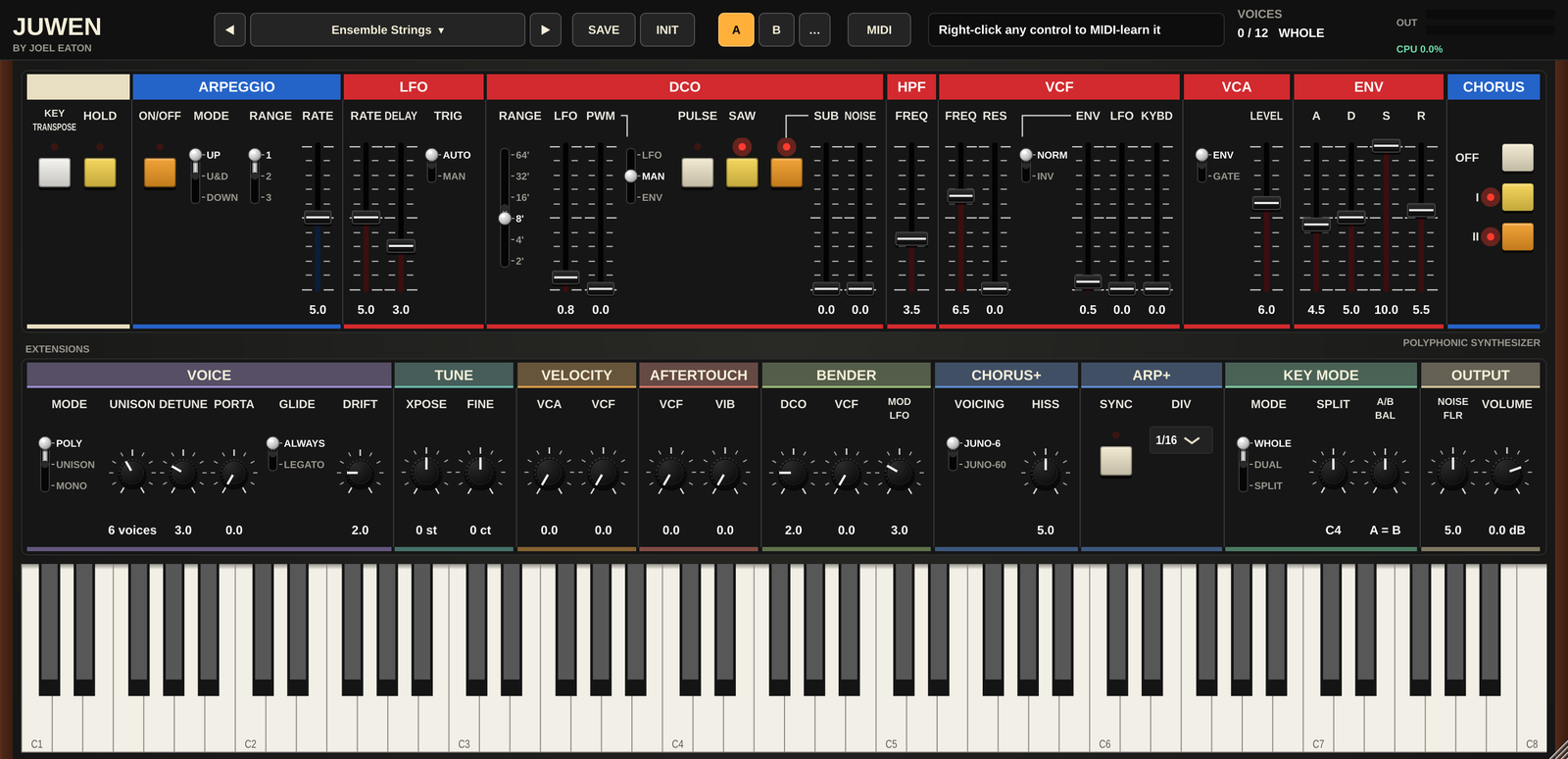
Why the Juno-6 (and not the 60)?
The Juno-60 gets most of the attention because it has patch memories, but the Juno-6 came first and it’s the one I owned. They share most of their DNA, with a couple of differences that matter:
- PWM from the envelope. The Juno-6’s PWM switch has an ENV position, so the pulse width can sweep with each note. Roland dropped it on the 60.
- A continuous high-pass filter. The 6 has a smooth HPF slider; the 60 has four fixed steps.
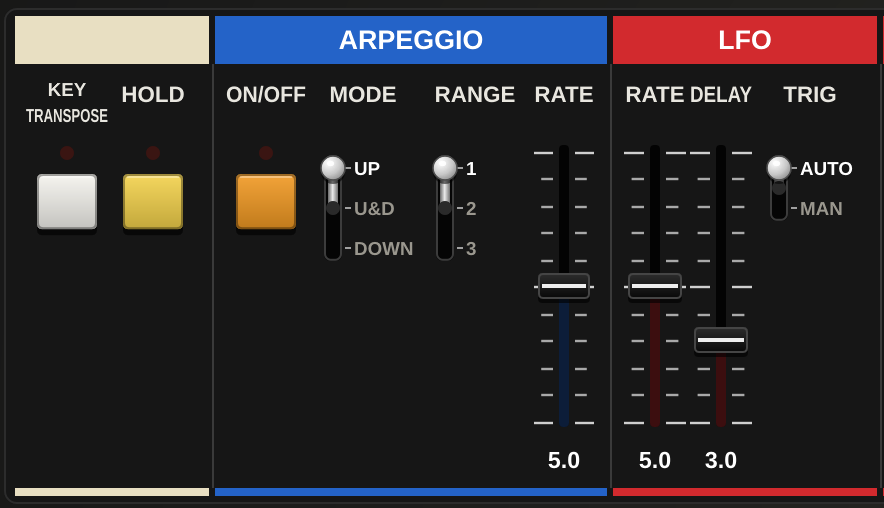
Juwen keeps both. It also keeps the Juno-6’s Key Transpose button. You press it, then press a key, and that key becomes C. It’s a lovely, slightly odd bit of early-80s design.
The chorus
If you’ve ever played a Juno, you know the chorus is the sound. Switch it off and a lush pad turns into something thin and ordinary. So this is the part I spent the most time on.
Inside the Juno are two bucket-brigade delay chips (BBDs). Fun fact, my Tides synth is centered around a BBD. A BBD shuffles samples of the audio along a chain of 256 tiny capacitors, one step per clock tick. Speed the clock up and the delay gets shorter; slow it down and it gets longer. The Juno sweeps that clock with a slow triangle wave, one chip for each side, with the right side inverted so the two sides move in opposite directions. Each delayed signal is mixed back with the dry one: dry plus left on the left, dry plus right on the right. That’s where the width and shimmer come from.
Most software choruses fake this with a clean digital delay line. Juwen simulates the clock itself. The delayed audio is sampled at the exact instant of each clock tick, held until the next one, then smoothed by filters like the real ones. That matters because the BBD’s sample rate changes as the clock sweeps. At the long-delay end of each sweep it’s sampling quite slowly, so the wet signal gets a touch darker and grainier, then opens up again. It’s subtle, but it’s a big part of why the real thing sounds alive rather than polished.
The numbers come straight from the measurements:
- Chorus I: the delay sweeps between 1.66 and 5.35 ms at 0.40 Hz (Juno-6) or 0.51 Hz (Juno-60).
- Chorus II: the same sweep, faster, at 0.67 Hz (Juno-6) or 0.86 Hz (Juno-60).
- I + II (both buttons): a shallow, fast 3.3–3.7 ms wobble at 9.75 Hz, in mono. More Leslie than chorus.
The Juno-6 service notes and the Juno-60 measurements disagree on the rates, and I couldn’t decide which matched my memory. So there’s a Voicing switch to flip between them, and you can choose for yourself.
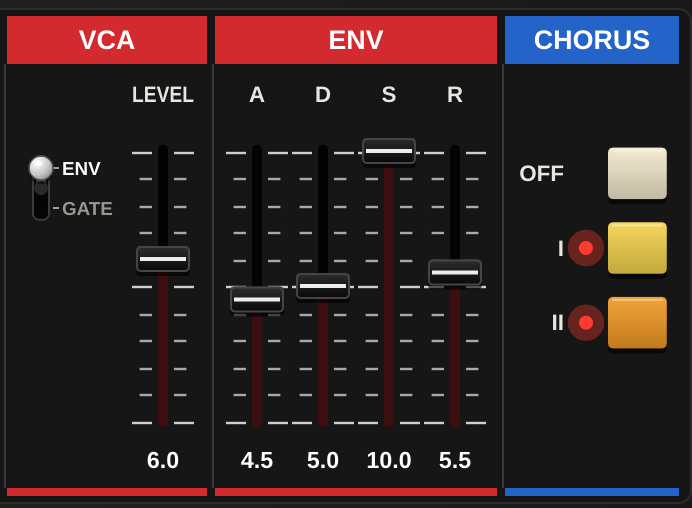
There’s also hiss. The real chorus is noisy, and if you grew up with one you’d miss it if it weren’t there. Juwen models both the chorus hiss and the general analogue noise floor of the unit. They’re calibrated, on by default, and you can turn either down to zero if you’d rather have a clean signal.
The rest of the voice
The remaining parts follow the original circuit, with measured numbers wherever I had them:
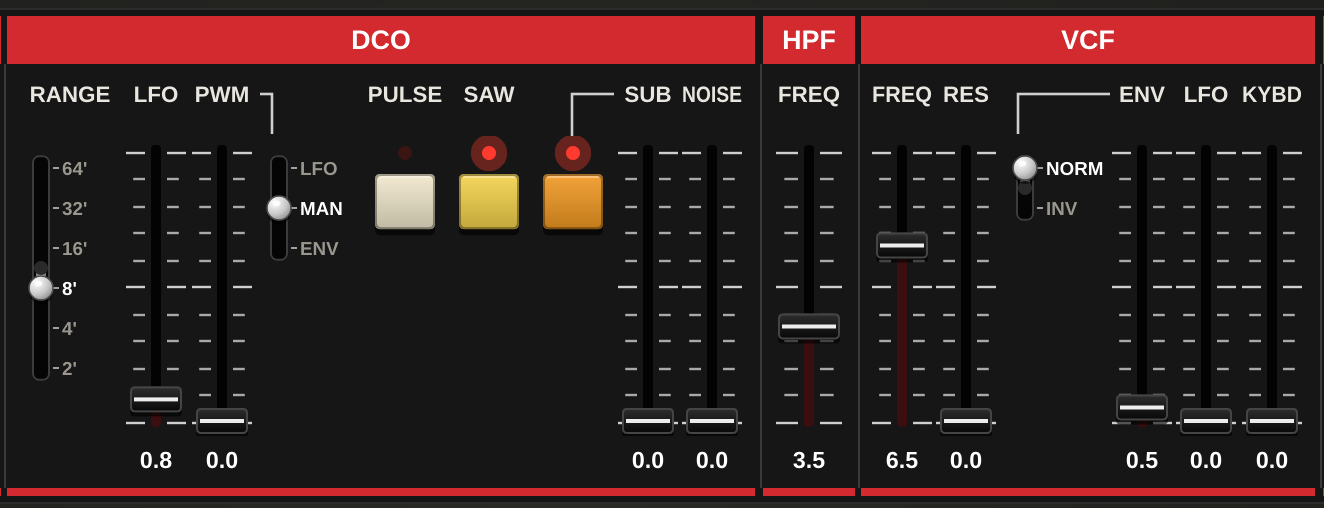
- DCO. One oscillator per voice, as on the hardware. The pulse is derived from the saw ramp, the sub oscillator divides it down an octave, and everything is band-limited so the top octaves stay clean.
- Filter. A model of the IR3109 four-pole filter. It self-oscillates and tracks the keyboard, and the bass thins out as you push the resonance up. That’s very much a Juno trait, and people who’ve owned one will notice if it’s missing.
- Envelope. Shaped like the capacitor charge and discharge curves of the original, with the slider-to-time mapping fitted to the measurements. Retriggered notes carry on from where they are rather than snapping to zero, so there are no clicks.
- LFO. One triangle wave per patch, 0.3–20 Hz, with the original delay-then-fade behaviour.
More space
This is the just with more space part. The original was very much of its time: six voices, three octave settings, no velocity, one patch. I wanted the sound without those limits, so everything new lives in its own strip under the classic panel:
- 12 voices, and a 64′ to 2′ octave range plus ±24 semitones of transpose.
- Velocity and aftertouch. Both are off by default, so it behaves like the original until you ask it not to. Polyphonic aftertouch works too.
- Unison (up to 12 stacked voices), mono and portamento, for leads and basses the Juno could never do.
- Dual and Split. Two complete patches layered or split across the keyboard, each with its own LFO, filter and chorus.
- An arpeggiator with host sync, and MIDI learn on every single control.

Design notes
I wanted it to feel like sitting at the Juno-6, not like using a generic plugin. The panel follows the original: the same left-to-right order, the Roland blue and red section bands, the cream Key Transpose and Hold block, the white tick ladders beside the faders, chrome toggle switches, and coloured push buttons with red LEDs. There are even walnut end cheeks. The knobs are modelled on the Juno’s volume knob.
It also follows the same design language as Tides and Orbit. There’s preset browsing at the top, an output meter and CPU readout, and a small coloured mark on any fader or knob you’ve moved away from where the preset had it, so you can always find your way back.
There are 51 factory presets: basses, pads, strings, leads, brass, keys, arps and a few Dual and Split layers. They’re written in panel numbers like an old patch sheet, so you could copy them onto a real Juno-6 if you have one.
Download
Free. Standalone, VST3 and AU. macOS 11 or later, Apple Silicon and Intel.
The download includes a quick-start README, a user guide and a full parameter reference.
Want to hear about updates?
Sign up to hear about new plugins and updates to existing ones.
Installing on macOS
The build is ad-hoc signed, not notarised, and the files pick up macOS’s download quarantine on the way to you, so macOS will block them on first open until you clear it. This is expected.
- Unzip and copy the components to:
- AU →
~/Library/Audio/Plug-Ins/Components/Juwen.component - VST3 →
~/Library/Audio/Plug-Ins/VST3/Juwen.vst3 - Standalone → wherever you like (e.g.
/Applications)
- AU →
- Clear the download quarantine. Open Terminal and run, adjusting paths if needed:
xattr -dr com.apple.quarantine ~/Library/Audio/Plug-Ins/Components/Juwen.component
xattr -dr com.apple.quarantine ~/Library/Audio/Plug-Ins/VST3/Juwen.vst3
xattr -dr com.apple.quarantine /Applications/Juwen.app- First launch of the standalone: if macOS still warns of an unidentified developer, open System Settings → Privacy & Security and click Open Anyway in the note near the bottom. You only do this once.
- In your DAW, rescan the plug-in list if Juwen doesn’t appear.
Roland and Juno are trademarks of Roland Corporation. Juwen is an independent project and isn’t affiliated with or endorsed by Roland. Juno-60 measurements courtesy of Andy Harman’s Juno60 analysis (MIT).