Elevate: Running Coach App
A multi-tenant app designed for coaches and runners.
Elevate: Running Coach App
The Problem
Every running coach has probably done the same thing. You craft the perfect training plan for your athletes, then paste it into a Spreadsheet.
Athletes open it on their phones. Then pinching, zooming, scrolling sideways through columns, squint at tiny cells. The workout description that looked perfect on your laptop is now a nightmare to read. Comments get lost. Feedback comes via WhatsApp messages, Strava comments, Garmin Connect. You update the sheet, they don’t notice until next Tuesday.
As one runner I coach kept saying, there had to be a better way to deliver coaching. And there is, there’s apps available but nothing specific for running, nothing for free, and nothing with a clean UX.
The Build
I built Elevate as a full-stack web application focused on making the athlete experience as clean and frictionless as possible while giving coaches the tools they actually need.
I actually built it as a multi-tenant app, just to learn what’s involved.
I’m using it for my runners but in theory it’s available for other coaches to use with their runners.
The Stack:
- React (via CDN) for the frontend, keeping it simple -no build complexity
- Supabase PostgreSQL for the backend with Row Level Security ensuring each coach’s data stays isolated
- Real-time notifications so athletes know the moment their coach adds a workout or leaves feedback
- Netlify for deployment with aggressive cache-busting to ensure updates go live immediately
The Details:
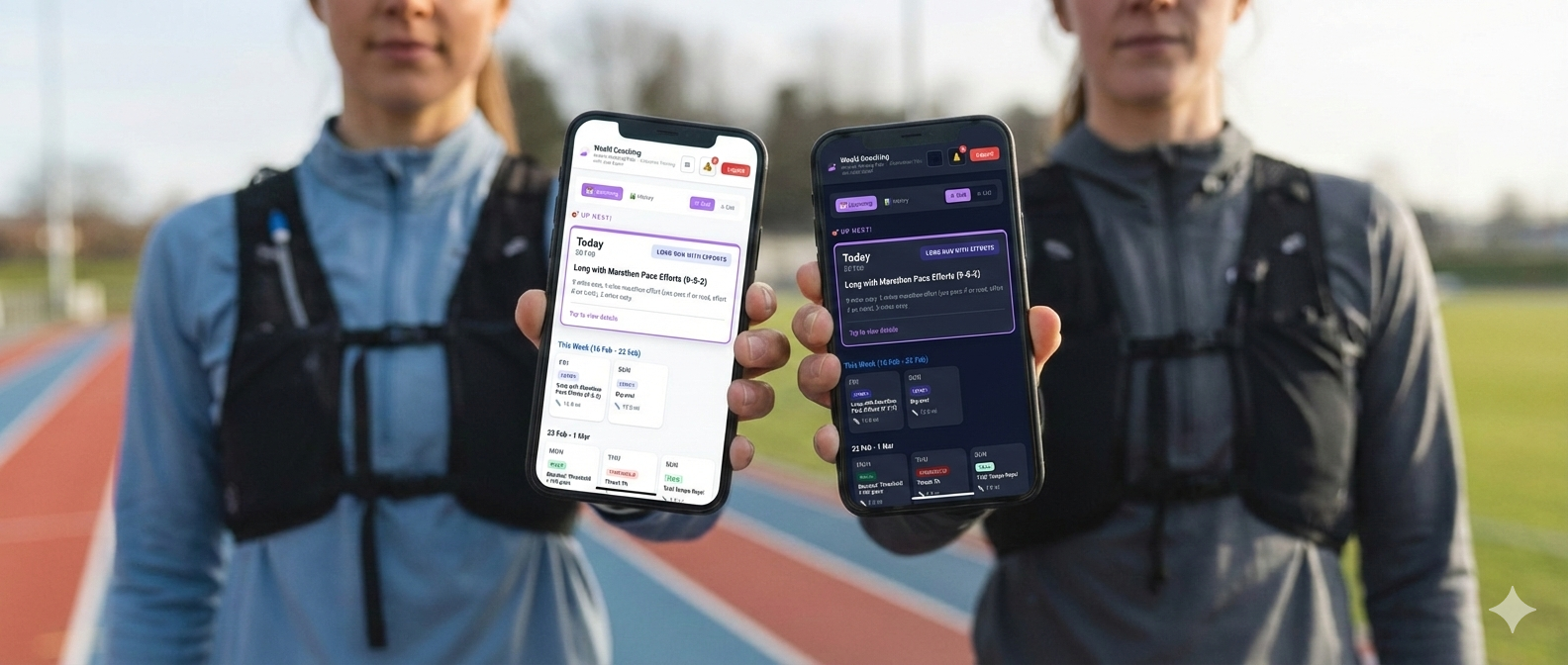
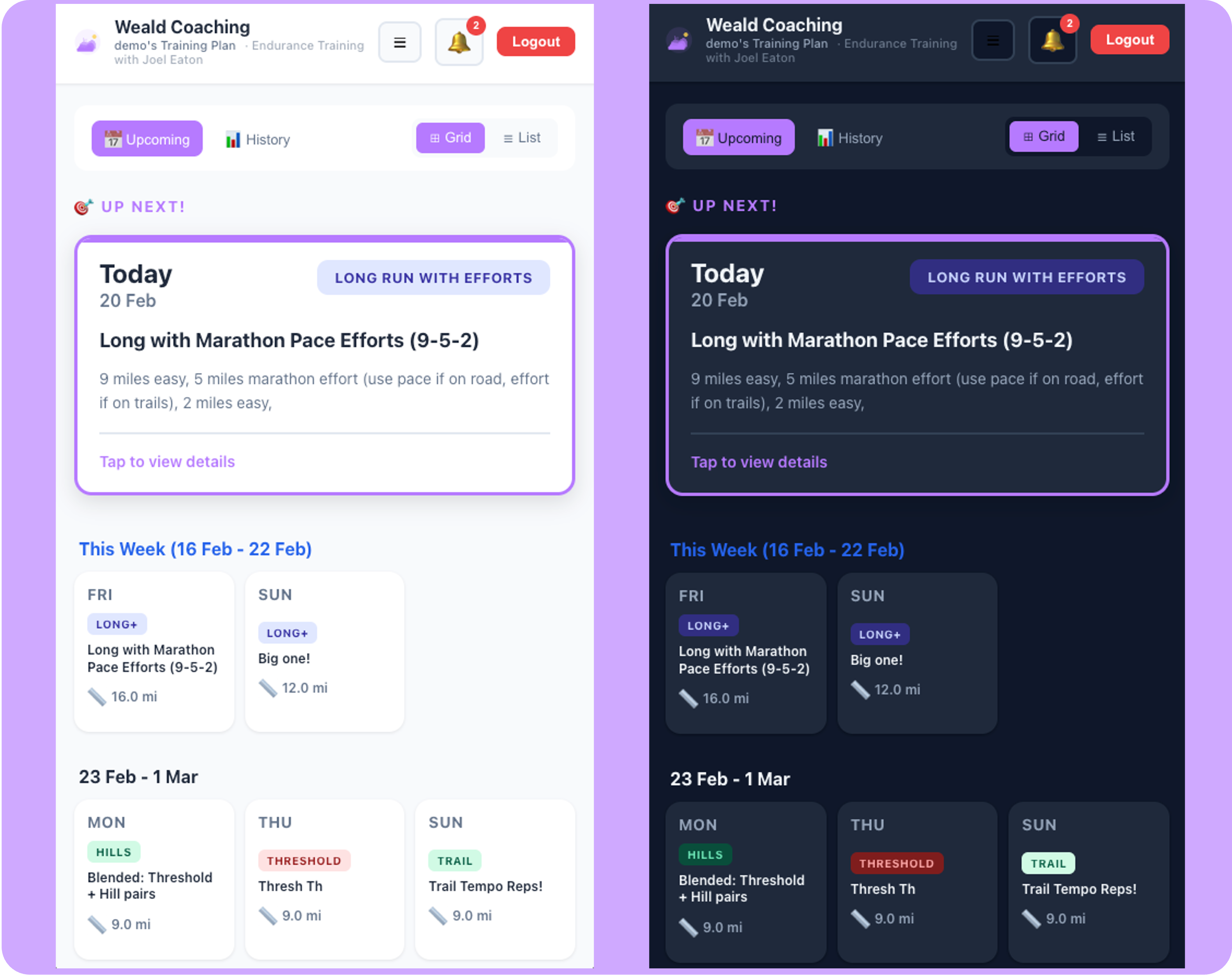
The athlete interface prioritizes mobile-first design. Workouts are displayed as clean tiles grouped by week, with visual indicators for workout type (tempo, threshold, long run). Pace variables like {TEMPO_PACE} get dynamically replaced with the athlete’s actual paces, automatically formatted to match their unit preference (miles or kilometers).
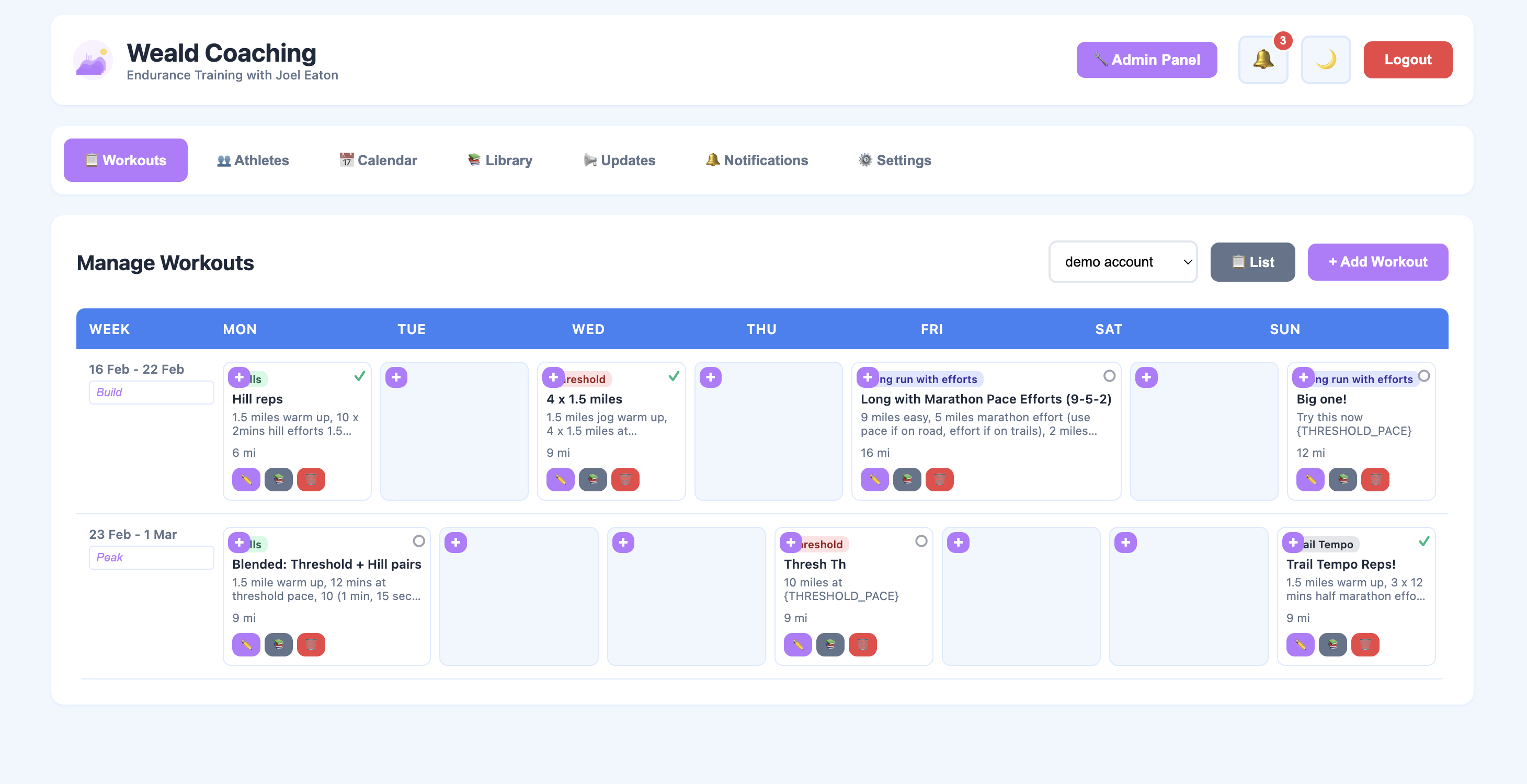
Coaches get a calendar view where they can drag, drop, and edit workouts in bulk. Pre-built templates let them save common workouts to their library. Weekly labels (“Build Week”, “Peak”) provide context at a glance.
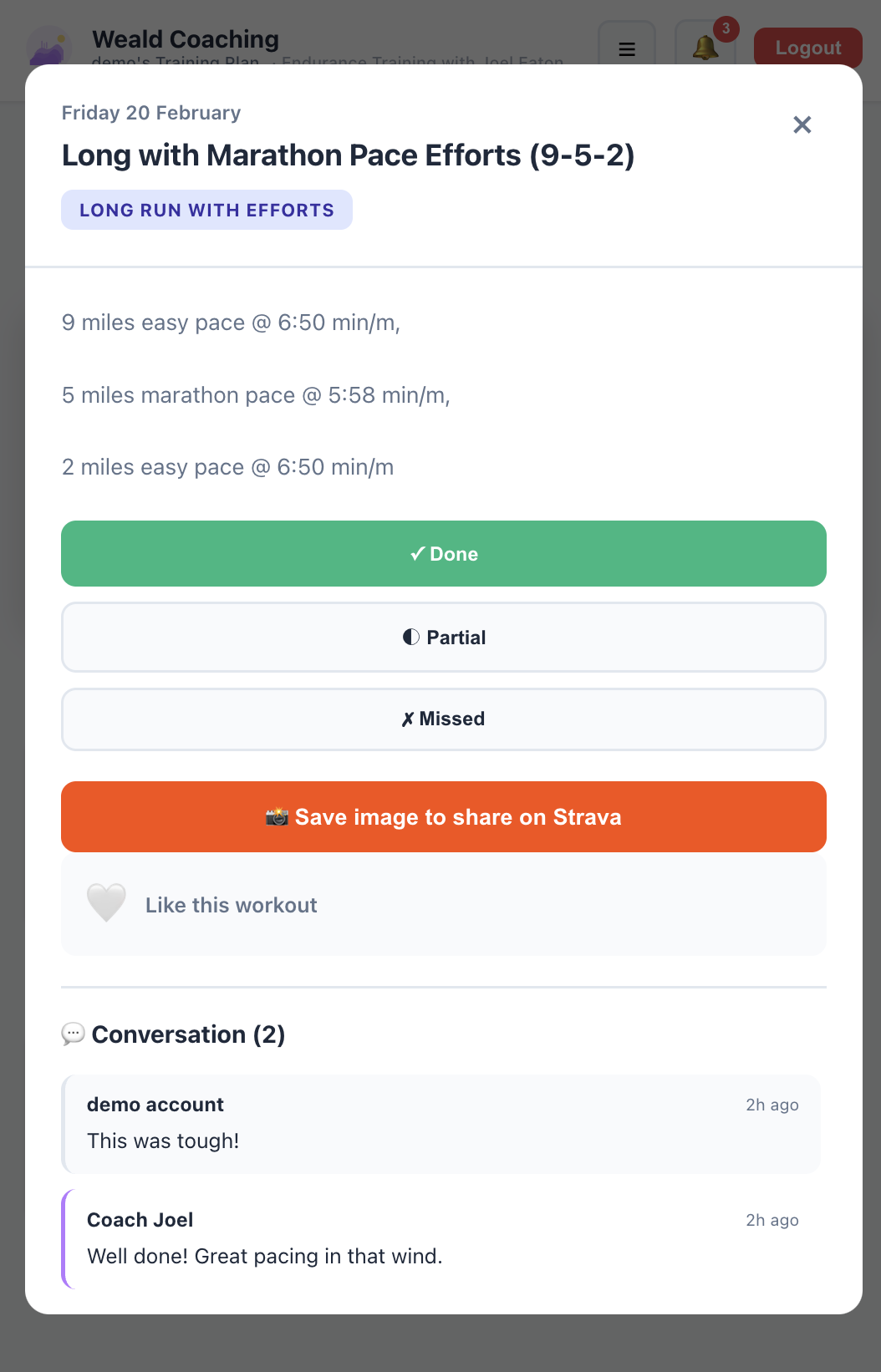
Comments and status updates flow both ways with real-time notifications. Athletes can comment on their workouts “That was hard”, and the coach gets notified and can respond directly - a conversation available on each workout.
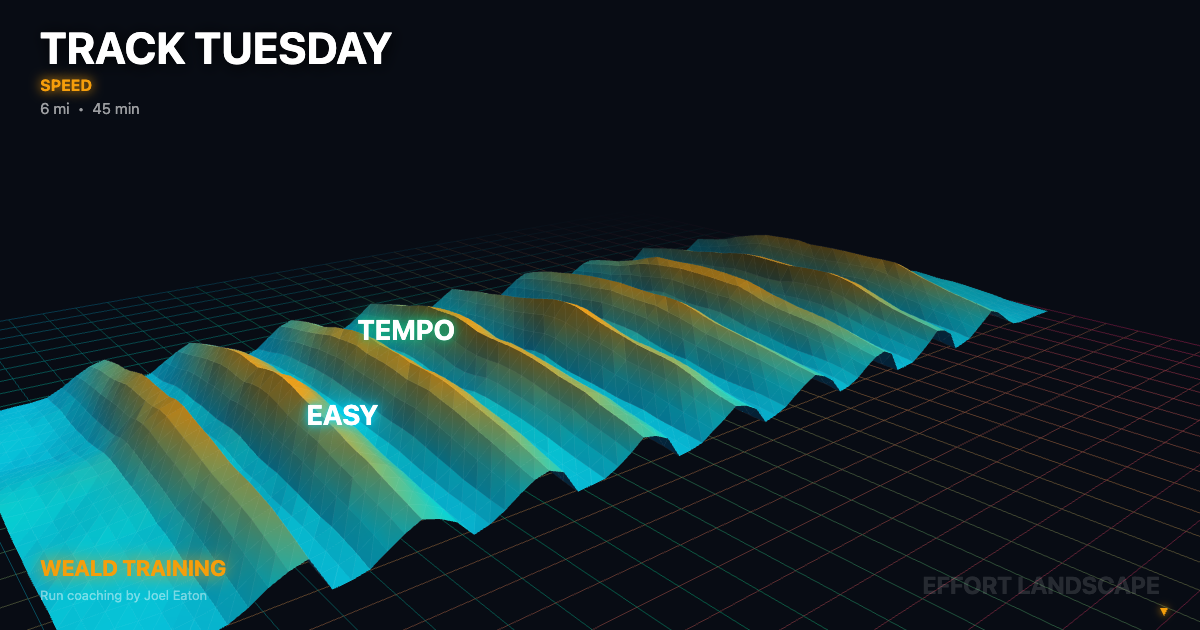
The terrain visualization feature was particularly fun to build, using Three.js to generate effort-based 3D landscapes from workout structure (warmup → intervals → cooldown). These render to 2048x2048 PNGs optimized for Strava uploads, giving athletes something visually striking to share.
The Result
Athletes now get their training plans in an interface that actually works on their phones. Paces are clear, workouts are readable, feedback is immediate.
Coaches can manage multiple athletes from a clean dashboard without juggling spreadsheets.
The app launched in production with real athletes training for marathons, and the feedback has been exactly what I hoped: “I actually look forward to checking my workouts now.”
Built with attention to the details that matter, proper pace formatting (8:30 /mile, not 8.5) and ranges where needed, notifications that work, and a UX that doesn’t get in the way of the training.
It even has tha ability to export workouts as .FIT files for syncing to watches and devices.
**Tech:** React, Supabase, PostgreSQL, Three.js, Netlify, PWA