Content Harmony
Turning style into a living, breathing AI editor
I have always believed that Customer Enablement shouldn’t just be about managing content. It should be about engineering better ways to create it.
I built Content Harmony in my current role at Hornbill because I wanted to kill the red-pen review cycle. The endless cycle of back and forth where a Technical Writer or Instructional Designer turns in a draft, only for it to be sent back because the tone didn’t hit the right persona or the formatting strayed from the 50-page style guide.
I wanted my team to spend their brainpower on teaching, not on policing commas or re-inventing style guidelines for the thousandth time.
Also, everyone is using AI at work. Who’d have guessed. This isn’t a problem in itself, but when everyone is prompting differently, using different models, and not passing any consistent rule set, well, no wonder it’s a mess (and I can only imagine how much worse the impact of this can be on code development). Creating a solution gave my teams consistency and addressed the challenges that shadow-AI in the workplace causes. Who’s checking that people aren’t actually training models with sensitive data?
The One-Week Sprint
I didn’t wait for a roadmap or a budget. I built the first functional version of Content Harmony in less than a week. I actually started in Claude Code but threw the first implementation away before switching tools entirely (my initial cloud architecture was all wrong for the use case), but that’s a separate story.
The goal to create a workspace where the AI isn’t just writing. It’s acting as a senior editor/learning designer who has memorised every persona and style rule we have. After spending time on model and prompt tuning and testing, the team started using it for real production work.
How It Works (The Editor View)
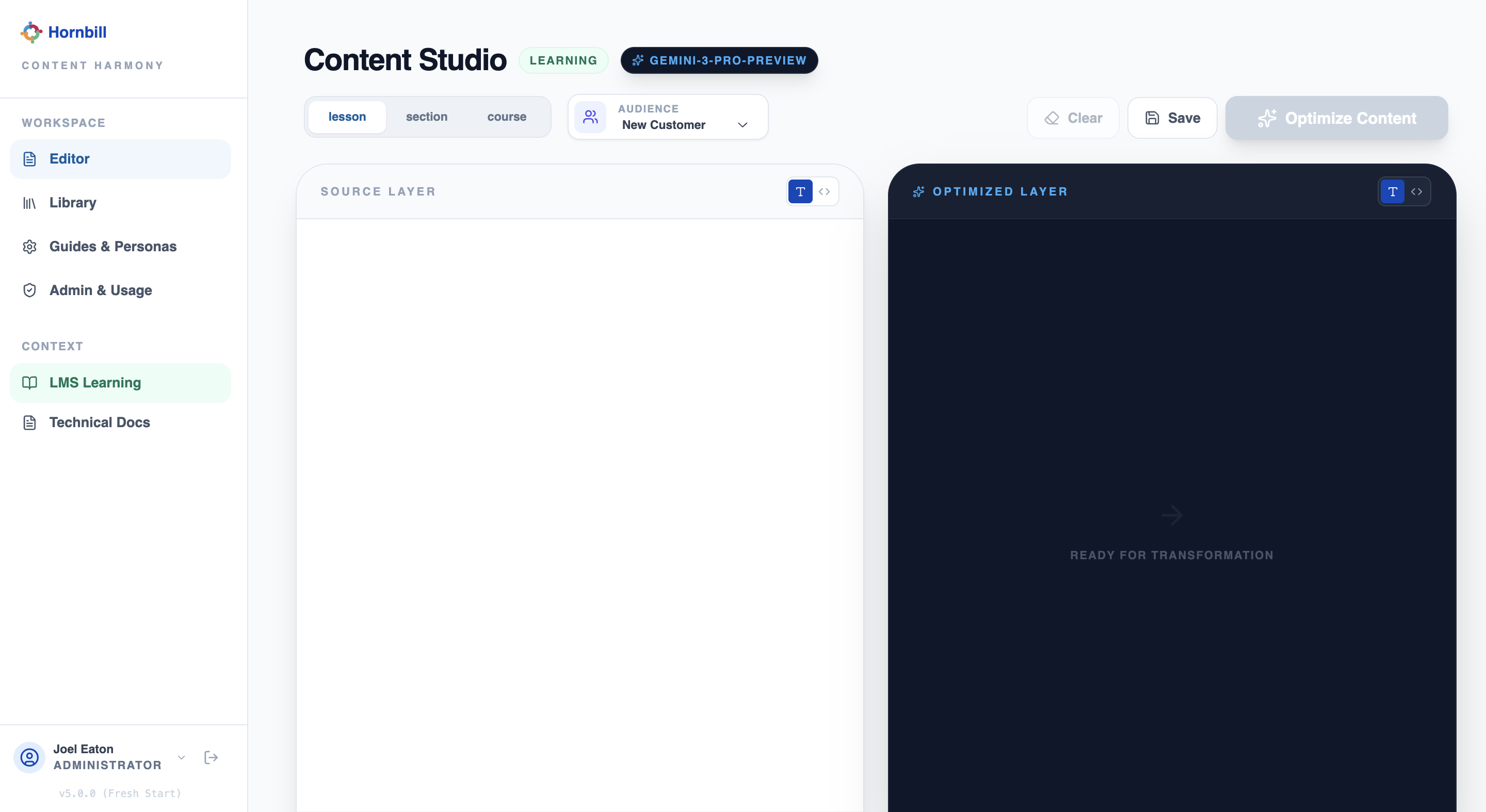
The app is designed to match exactly how we deliver value to our customers. When someone enters their source material, such as raw notes, course outline and product information, or a recording transcript, Content Harmony doesn’t just give them a wall of text. It outputs content ready for deployment.
1. For Learning Content
Our educational content follows a strict hierarchy. The editor uses a tabbed interface so the team can see and optimise for the full flow at a glance:
- Course Level: High-level objectives and certification paths.
- Section Level: The narrative arc of the module.
- Lesson Level: The granular information for the learner.
Our learning style uses relatable examples, use cases, knowledge checks, and has a pedagogical framework that Content Harmony is easily able to apply. It even identifies when diagrams and imagery can help aid understanding, and goes as far as producing video scripts and visual cues where appropriate.
2. For Technical Documentation
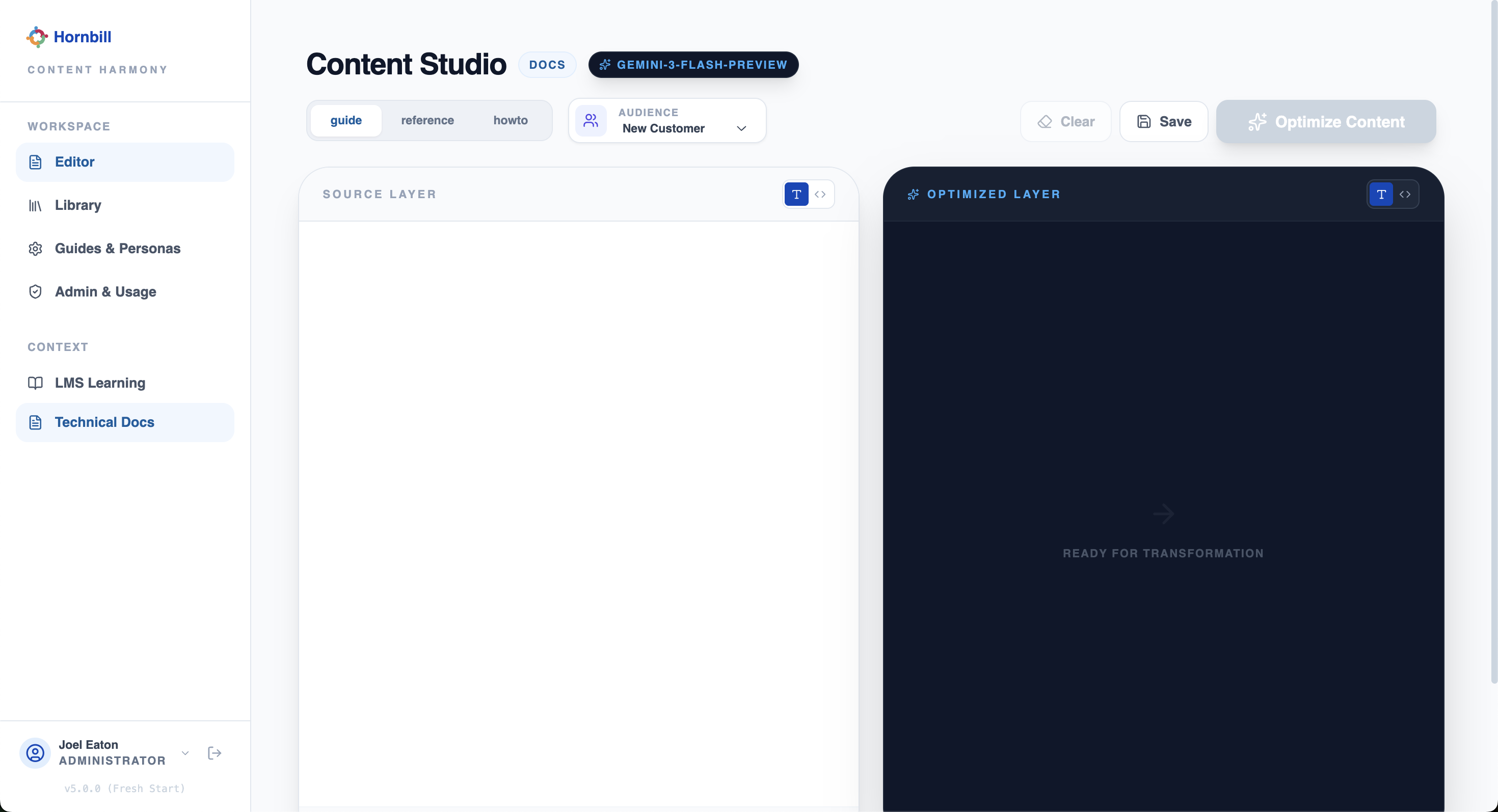
Different docs require different brains. I built in specific logic for our three core pillars:
- Configuration Guides: Deeply technical, focused on setup and logic.
- Reference Material: Concise, data-heavy, and easily searchable. Also accounts for conceptual information.
- How-To Guides: Action-oriented and persona-led instructions.
Why This Matters for Education Leadership
Building this wasn’t just about speed, though we are significantly faster now. It was about psychological safety and quality.
Now, when a team member hits “Optimise Content”, they know the output is already aligned with our brand and voice. They aren’t worried about being wrong on style. They are focused on making the content impactful and technically accurate.
One aspect of the tool that is helping the team, is the feedback it provides upon every generation. It explains the changes it’s made and why - just like having a mentor or senior learning/writing colleague provide constructive feedback on their work, reinforcing the framework at stages of content design and continually upskilling the team.
We’ve moving from being a team that simply writes content to a team that orchestrates learning experiences.
What’s Next?
Content Harmony is currently live and being used by the team daily. My next step is to integrate it even more deeply into our publishing stack to automate the final upload process and produce new types of content.