Leaving Google and the Real Price of Free
You've been stolen. Fight back.
Recently I set out to stop using Gmail as part of a wider move away from Google, but what started as a small thing turned into a day fighting Docker networking configs on my NAS.
That’s the thing about deciding to leave Google (once you actually mean it rather than just grumbling about it). You think you’re switching an email address. You end up rethinking your photo library, your password manager, your cloud storage, and, if you’re the type who owns a NAS and can’t resist a good technical rabbit hole, eventually your own home network too.
As enhittified as big tech software is, they’ve done a cracking job at making it painstaking to leave them (a classic element of enshittification). Convenience rules. If it’s hard to leave, if you lose connections with people by leaving, then they’re doing a great job as far as they’re concerned.
Leaving Meta was actually pretty easy, minus the annoyance from family, but ah - the relief from leaving all those WhatsApp groups. I say easy, not without inconveniencies and trade-offs. Switching from WhatsApp exclusively to Signal has its frustrations. For example, image compression can’t be turned off when sending/receiving photos. And messaging iPhone users who aren’t on Signal via SMS is really a giant security no-no.
It’s only when you step back and look around do you realise how much big tech has a claim on every aspect of your information. And the fact that the best tools are “free” says enough about what the product really is (you), even when you’re paying for it you’re still getting screwed over. When it’s your kids’ information, enough’s enough. Convenience is such a hook, and it’s not easy moving out of the big ecosystems (Apple, Google, Meta etc.). But, well. Be the change you want to see, right?
A simple plan
The starting motivation was simple enough. Privacy and ethics. If someone walked up to you now and offered you a free email, search engine, limited storage account but where they indexed every email, every photo, every search, and built an advertising profile out of the exhaust, would you say “yeah, sure”?. So why are we all OK doing this? And yeah - this while I was paying Google for the privilege, via their upgraded storage plan.
I still wanted some form of convenience - I wasn’t going to build my own email server (yet) so the plan was switch from one ecosystem to another for an easy life - to move email to Proton (privacy first platform), move photos to Proton, move files to Proton. One company, paid with money instead of subsidising through my data. Well, that and adding backup/cold storage - but that’s a separate blog article.
There was even an added benefit early on, cost wise. I was also paying separately for Surfshark VPN, purely for the privacy and security side of things, unrelated to Google. Once I was moving to Proton anyway, it made sense to ditch Surfshark, as Proton VPN’s bundled into the same subscription. I also have a custom email domain anyway, so the aim is to shift the focus to that one (as I can use that with any service), and slowly drop the use of the Gmail one over time.
I actually thought, going in, that Proton would be a fairly clean one stop shop. Mail, drive, photos, all under one roof, the way Google’s bundle works. It mostly is, for mail (albeit with crappy search - but hey that’s the privacy trade-off). It is very much not, for photos, once you actually push on it.
The moment it stopped being simple
The first crack was small. Proton’s free tier doesn’t do custom domains at all, fair enough, that’s how paid tiers work. Then came the real one. My Google Photos library was quietly bigger than Google had ever told me it was, because for years photos backed up in compressed quality didn’t count against my storage quota at all. The number on the account page and the number of actual photos I owned had never been the same thing. I’d been living inside a slightly fictional account of my own data the whole time.
Migrating it wasn’t a button press either. Google Takeout doesn’t hand you a clean folder of photos - funny how they don’t make it straightforward to leave. It hands you a bunch of zip files where every photo that’s ever touched an album gets duplicated into that album’s folder too, alongside the same photo sitting in its year folder. Multiply that across a decade of albums and the export ends up considerably larger than the library ever felt like it was.
Then I actually tried uploading that library into Proton, and hit the wall that, in hindsight, explains most of why Google’s product felt so effortless for so long. Proton photos is really slow to index on a mobile, and it doesn’t do the invisible AI work on your photos that Google does. No face grouping. No memories or “on this day” that me and my kids love looking at together. Photo dates from WhatsApp images and old screenshots, which never had reliable metadata to begin with, came through wrong by months, sometimes years, because there was no smart system quietly inferring and fixing it behind the scenes the way Google’s had been doing the entire time, for free, in exchange for being allowed to look.
That’s when the actual lesson of this whole project landed, somewhere around my fourth attempt to fix a batch of misdated photos. Google’s products don’t feel free. They feel effortless. Those are different things, and the difference is roughly the size of the data that funds it. All that quiet intelligence, the search, the sorting, the “we noticed this is a receipt,” the seamless sharing with a partner, isn’t a side effect of Google being good at software. It’s the product (paid for by the information in your photos about you and your family). The photos are just the raw material.
Down the self-hosting rabbit hole
Once I understood that trade, the decision got more interesting than which paid service is cheapest. If I was going to lose the Google magic either way, because no privacy respecting company scans your content the way an ad company does, then paying a subscription for a worse version of the same trade-off started to feel like the wrong move. So I went further. Self-hosting, on a NAS I already had running Plex and some other smaller stuff.
Round one: Immich, the closest thing to a Google Photos clone
I started with Immich, and it’s genuinely the right first choice if what you want is a feature-for-feature Google Photos replacement. Memories, face grouping, content search, mobile auto-backup that actually works well. It’s the most complete of the self-hosted options.
It’s also a heavy piece of software, and this is where the NAS itself became the story rather than a footnote. Immich’s stack is a real multi-service application. A Node server, Postgres with a vector-search extension, Redis, and a separate machine learning service handling the face recognition and search. All of that runs concurrently, all the time, whether you’re actively using it or not.
My NAS, a Synology DS224+, has a Celeron J4125 CPU and shipped with 2GB of RAM. Immich’s own documentation lists 6GB and two CPU cores as the practical minimum. I found this out the hard way, watching the server run for almost exactly four minutes before crashing, every time, as memory filled up and something got killed to make room. The Resource Monitor graph looked like a heartbeat. Climb, drop, climb, drop. Fair enough, I was running under minimum required spec, but it didn’t bode well for upgrading to the minimum 6GB (which is actually the max my NAS can handle).
There was a second, separate problem underneath that one. The J4125 doesn’t support AVX, an instruction set that a lot of machine learning libraries assume you have. Immich’s face and content recognition specifically failed to initialise on this chip even with hardware acceleration enabled, an issue other people running the same generation of Synology hardware had already hit, found after some quick searching. So even with enough RAM, that feature was never going to run well.
You can strip the ML container out of Immich entirely and still keep backup, albums, and sharing. But at that point I was running a crippled version of the thing I picked specifically for its completeness, on hardware that couldn’t run the rest of it reliably either. It was worth trying, kinda useful to know the limits of, but not what I ended up sticking with.
Round two: Ente, lighter by design
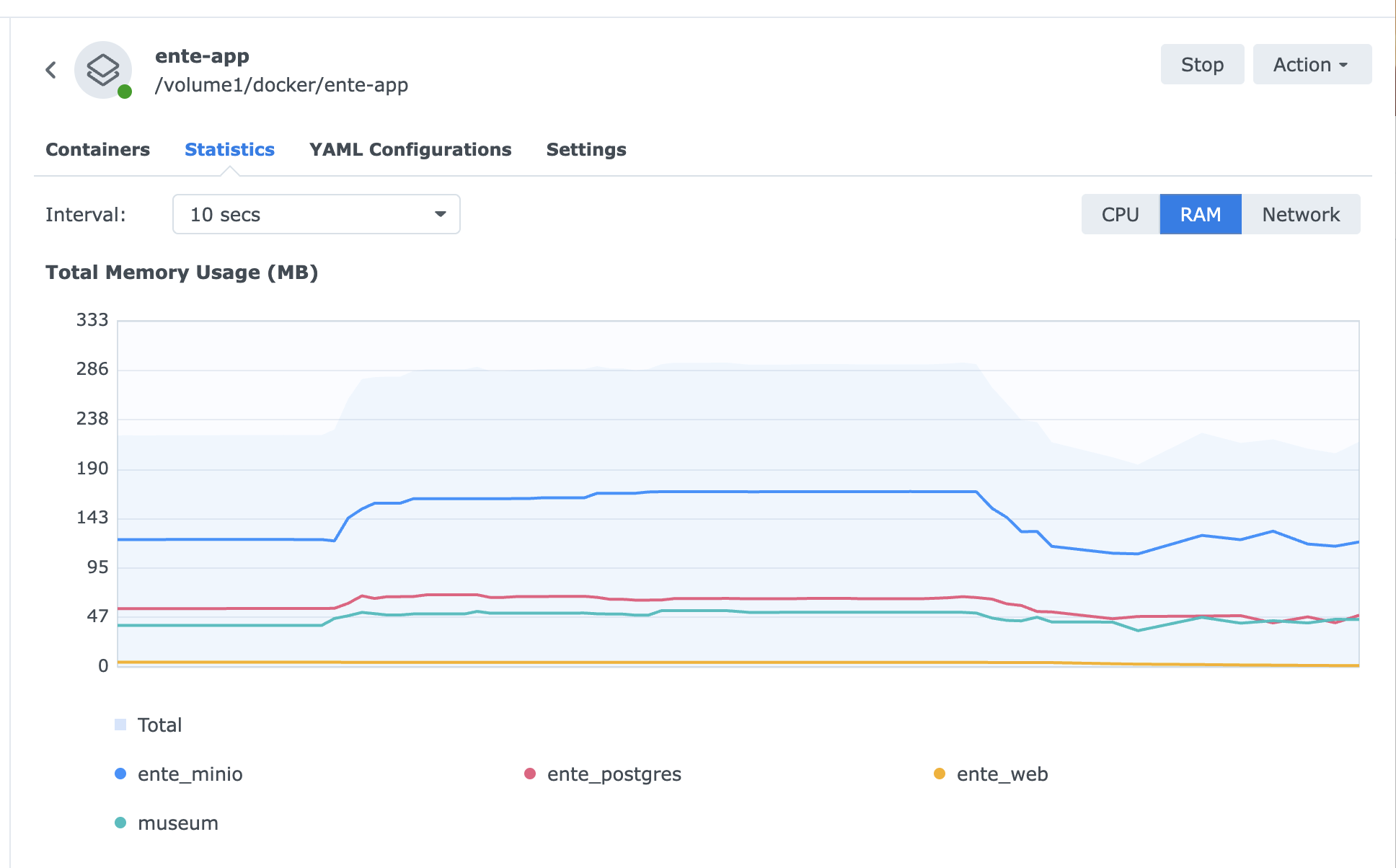
Ente’s architecture is smaller. No Redis and no always-on machine learning service sitting on the server. Instead, it’s just Museum, the API server, Postgres, and MinIO for the actual encrypted object storage.
The reason it’s smaller is that Ente end-to-end encrypts everything before it leaves your device, which means the server never sees an unencrypted photo. It literally can’t run face recognition or content search on your library even if it wanted to, because it has no readable content to run it on.
So Ente moved the entire ML workload on-device. Onto your phone and your laptop, using their own on-device models, syncing back only an encrypted search index. The NAS’s underpowered CPU stopped being the bottleneck for that feature, because the NAS was never doing that job in the first place.
That trade cuts both ways. Face grouping and content search on a large library are noticeably slower and lighter than Google’s, because they’re now running on consumer phone hardware doing it locally rather than on a Google data centre doing it at scale. But it’s actually usable, and it meant the limiting factor for me stopped being CPU instruction sets and went back to being plain memory, which is a problem you can fix by buying a stick of RAM rather than a new NAS.
Google Photos has a specific feature called partner sharing, where your library and someone else’s continuously merge into one shared pool with no manual step (or you can just tap to view theirs if you don’t want the muddle of the two interweaving as one feed). Neither Immich nor Ente replicate that exactly. Ente’s answer is shared albums, curated collections you explicitly create and invite someone into, which covers things like holiday photos well but things like sharing every photo we take not at all. No privacy-respecting option currently matches it - and on second thought with good reason too (coercive control anyone?).
The part the marketing skips entirely
Getting Ente stable was still a real pain. Some of what I ran into, condensed:
- A hairpin networking bug. For accessing Ente outside of my LAN, I set up Tailscale for remote access, but the server itself started intermittently failing to reach its own storage. This is because it was dialling its own Tailscale IP address, a pattern that’s unreliable across most VPN implementations when a machine talks to itself through its own tunnel interface rather than to another device. The fix was giving the server direct access to the NAS’s real network stack and routing remote devices back to the plain local address via Tailscale’s subnet routing feature, rather than ever making the server talk to itself over VPN.
- A container losing DNS resolution as a side effect of that same fix. Moving the server onto the host’s own network took it off Docker’s internal network too, which meant it could no longer find the database by its container name, only by address.
- A completely unrelated system service already squatting on Postgres’s default port, discovered only by SSHing in and checking what was actually listening, since Docker’s own container list showed nothing running there at all. This one was annoying!
- Small, repeated YAML formatting mistakes of the kind that are invisible until a parser rejects them outright, usually from pasting a new block in at the wrong indentation level. Not a fan of YAML, TBH.
None of this was a flaw in Ente. It was just the standard cost of setting up my own multi-container infrastructure for the first time instead of trusting someone else’s already-solved version of it. I knew that self-hosting wouldn’t be a click-through wizard-type breeze, but it made me realise how convenience has been so well monetised as a disguise for collecting my data.
Take back your data (but not your time)
The free version of anything is never actually free. With Google, you’re paying in data and quiet profiling. With the privacy respecting alternatives, you’re paying in either money or your own time and technical patience, often both.
Convenience is a feature Google built on top of surveillance, not a separate thing you can keep while opting out of the surveillance part. Losing the AI magic isn’t a bug in the privacy focused alternatives. It’s the actual cost of the thing you’re trying to buy.
Self-hosting is rewarding, but also not something you set up easily in a couple of hours via a nice wizard. But if you’ve got the patience for troubleshooting and digging around some Reddit/Github comments, it’s worth it when it works.
But hey, I did it. Email, photos, and files now live somewhere (well in multiple places) that isn’t quietly building an advertising profile out of them. I actually have a lot more respect for how much invisible, genuinely excellent engineering Google gives away in exchange for the thing it takes from you, which was never really money at all.